

Blog
Nintendo Switch 2, PS5, and Soundbars: How to Plan HDMI Ports and Cables in 2026
- One TV. Every Console. No Port Drama.Jun 24 ›
- HDMI 2.2 and Ultra96: What Home Theater Buyers Should Know Before UpgradingJun 18 ›
- Try the Real HDMI Switch Setup Before You BuyJun 15 ›
- PS5 and Xbox Series X Black Screen on HDMI Switch — Fix It Once and For AllMay 26 ›
- Playstation 6: everything we know so far about sony’s next-gen consoleSep 22 ›
Nintendo Switch 2, PS5, and Soundbars: How to Plan HDMI Ports and Cables in 2026

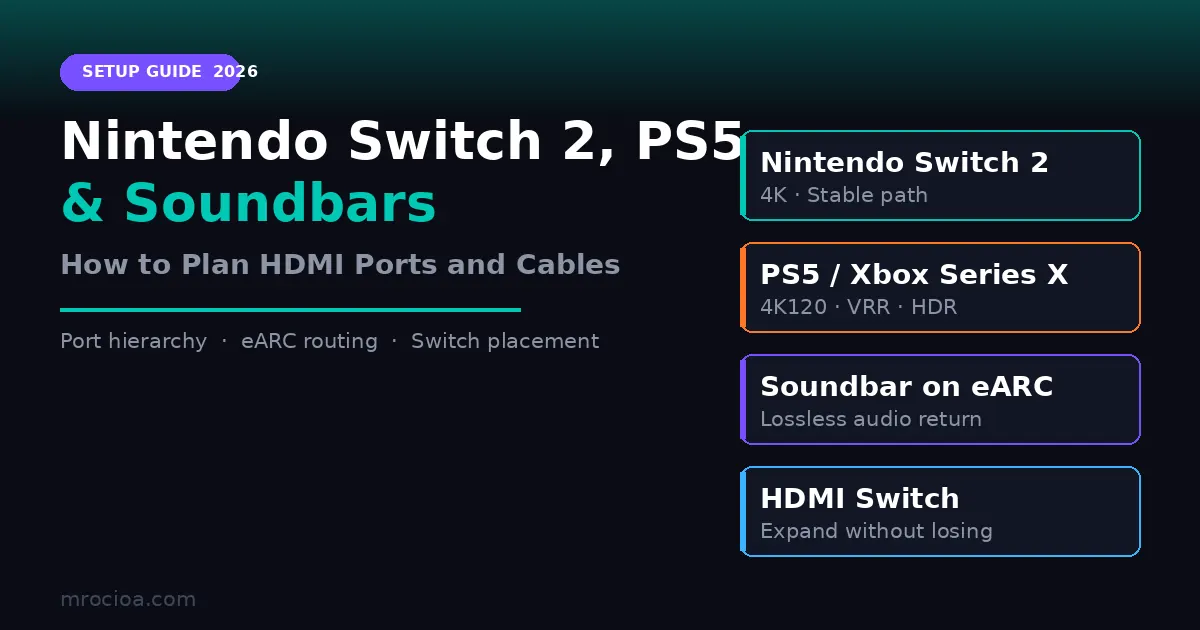
Nintendo Switch 2 is creating a fresh wave of accessory confusion. Buyers see 4K claims, high-refresh headlines, and debates about VRR support, then try to fit the new console into a room that already has a PS5, maybe an Xbox or gaming PC, an Apple TV, and a soundbar on eARC.
That turns into a port problem fast.
Most TVs still do not give every HDMI input the same capabilities. Some sets have only two full-bandwidth ports. In many rooms, one of those ports is already committed to eARC for a soundbar or AV receiver. That leaves buyers trying to decide which source gets the best remaining input and whether a switch belongs before or after the audio path.
Start With the Real Bandwidth Needs
Not every source in the room needs the same HDMI path.
| Device | What matters most | Practical takeaway |
|---|---|---|
| Nintendo Switch 2 | Stable 4K output, clean handshake, low hassle | It does not justify the same cable or port strategy as a 4K120 console or gaming PC |
| PS5 / Xbox Series X | 4K120, HDR, VRR, ALLM | These are the sources most likely to need your best HDMI 2.1 path |
| Apple TV | Reliable 4K HDR and audio return behavior | Usually more sensitive to chain complexity than raw gaming bandwidth |
| Soundbar on eARC | Audio return and handshake stability | eARC should be planned first, not treated like an afterthought |
That means the smartest setup is usually not "buy the most expensive cable for everything." It is matching the right source to the right path.
Why Soundbars Complicate the Decision
Many buyers assume a soundbar with HDMI passthrough solves all port shortages. Sometimes it helps. Sometimes it simply moves the bottleneck.
The key question is whether the soundbar’s passthrough path fully supports the video features you need. If the passthrough path is limited, your PS5 or gaming PC may lose part of its value when routed through it. In that case, the better design is often:
- Put the soundbar on the TV’s eARC port.
- Keep the most demanding gaming source on the TV’s best direct HDMI input.
- Use an HDMI switch for the remaining high-value sources that still need a strong video path.
This is why mixed-device setups keep generating frustration. Buyers are trying to solve three different problems at once:
- Port count.
- Video feature support.
- Audio return stability.
A Practical 2026 Living-Room Layout
If you own Switch 2, PS5, and a soundbar, start from this logic:
| Priority | Best destination | Why |
|---|---|---|
| Soundbar | TV eARC port | Protects the audio return path |
| PS5 or gaming PC | Best direct full-bandwidth TV input | Preserves 4K120/VRR/HDR where it matters most |
| Switch 2 or Apple TV | Remaining TV input or HDMI switch | Usually less demanding than a 4K120 console |
| Extra sources | HDMI switch | Expands usable inputs without replacing the TV |
If the TV only has two good HDMI 2.1 ports and one is occupied by eARC, the remaining high-value port becomes scarce. That is where an HDMI 2.1 switch earns its place.
When a Better Cable Helps and When It Does Not
A higher-spec cable only solves a real problem when bandwidth margin or cable quality is the actual cause.
Upgrade the cable when:
- A 4K120 console drops signal intermittently.
- HDR flickers when a source is connected directly.
- A cable run is long enough that signal integrity becomes questionable.
- The existing cable has unclear certification or no reliable testing history.
Do not expect a new cable alone to fix:
- A soundbar passthrough limitation.
- A TV port that does not support the needed feature set.
- An unstable chain caused by a weak switch, poor handshake behavior, or eARC routing decisions.
The Buying Mistake to Avoid
The common mistake is giving every source equal design priority.
Switch 2, Apple TV, and a streaming box do not create the same requirements as a PS5 or gaming PC. If you treat them all the same, you often overspend on cables and still end up short on the one thing that mattered: a clean full-featured path for the demanding source.
Instead, choose the chain in this order:
- Lock the eARC route.
- Reserve the best direct path for the most demanding source.
- Use a reliable switch to expand inputs for the rest.
- Choose certified cables that match the actual mode you use.
What to Check Before Buying
- How many full-feature HDMI ports your TV actually has.
- Whether the eARC port shares resources with one of those better ports.
- Which source really needs 4K120/VRR/HDR.
- Whether your soundbar passthrough path supports the features you expect.
- Whether a switch belongs on the source side, not between the TV and the soundbar.
The result is usually simpler than buyers expect. Most living rooms do not need every device to be future-maxed. They need a cleaner hierarchy for ports, audio return, and switching.
FAQ
Does Nintendo Switch 2 need the same HDMI cable strategy as PS5?
Usually no. A PS5 or gaming PC is more likely to justify your best full-bandwidth path. Switch 2 still needs a reliable cable, but it does not create the same 4K120 planning pressure.
Should I route my PS5 through a soundbar?
Only if the soundbar passthrough path fully supports the video features you care about. Many buyers get better results by keeping the soundbar on eARC and the console on a direct TV input.
When is an HDMI switch the right answer?
When your TV has too few good ports after eARC is accounted for, and you want to add sources without giving up stable switching or the best gaming path.
Will a more expensive HDMI cable fix eARC problems?
Not always. eARC issues are often caused by routing, handshake behavior, or feature mismatch, not just cable price.
How mrocioa Can Help
Need to connect Switch 2, PS5, Apple TV, and a soundbar without giving up your best HDMI path? Explore MROCIOA HDMI switches and cables built for stable 4K and eARC setups.
Related Links
/product/8k-hdmi-switch-5-port-earc//product/hdmi-2-1-switch-5-in-1-out//product/8k-hdmi-cable-10-feet//try-hdmi-switch-before-you-buy/
Sources
- https://www.theverge.com/report/697937/nintendo-switch-2-vrr-steam-deck-rog-x-ally-120hz
- https://www.gamesradar.com/entertainment/gaming-tech/best-hdmi-cables-for-nintendo-switch-2/
- https://www.whathifi.com/soundbars/do-i-need-hdmi-2-1-on-a-soundbar
- https://zh.wikipedia.org/wiki/%E4%BB%BB%E5%A4%A9%E5%A0%82Switch_2
Not sure which switch is right for you?
Tell us how many devices you're connecting and the resolution you need — we'll match you to the right switch in 30 seconds.
Find my switch →